
The Crafting Chamber (製造), or the Manufacture menu, is a place located within the Sanctum Tower in Kivotos that can produces various materials.
It can be unlocked after clearing Mission 3 Act 2.
General Information
There are 2 categories within the chamber, Generate and TailorMade. Both allow teachers to produce various items such as Exp Report, Skill Material, Gift, Furniture, EX-Skill Disk and Skill Book.
Generate
Generate (ジェネレート) allow teachers to craft a random product depending on the selected node. Teachers are given 5 nodes at random and more or less, teachers will not know which nodes will appear nor what product they will produce. Teachers are given 3 slots to produce with each slot allowing teachers to craft up to 2 products
Generate Overview
March 23rd, 2022 Patch
As of the latest Patch, crafting has been slightly rework. As such, this article will be updated to reflect that.
- Teachers can now craft 2 items at once.
- As such, the production time may increase.
- Primary and Secondary Node are now separate.
- Both will still work as normal however, creating a Secondary Node will now create a second item instead.
- Secondary Release has been removed.
- Teachers can now use both the Keystone and Keystone Pieces as materials to create a Secondary Node.
- Teachers will be required either 2 Keystones or 20 Keystone Pieces to create a Secondary Node.
- Golden Node will now appear on both Primary and Secondary Node at random.
- However, they will no longer guaranteed to produce an item of the highest quality. Instead, they increase the chance of producing an item of the highest quality.
- Teachers can now skip the animation for crafting.
- There is no skip button. Instead, teachers can tap on the screen when the animation starts to skip.
- Node
Simply "Node" refers to the 5 random nodes that will appear in the Primary and Secondary Node. The Nodes that appears in the Secondary Node may also be call a "Sub Node". - Primary Node
Refers to the very first Node after inputting the materials. - Secondary Node
Refers to the secondary Node after inputting additional materials in the Primary or Secondary Release. - Golden Node
Refers to a product of the highest quality but have a small chance of appearing. - Primary Release
Refers to the first stage of production. Secondary ReleaseThis Feature has been removed
Refers to the second stage of production.- Additional Materials
Refers to the additional materials in the Secondary Node.


- The Crafting Chamber unlocks after completing Mission 3 Act 2.
- To start manufacturing, teachers must have at least 1 Keystone
 KeystoneCategory:test or 10 pieces.
  Keystone PieceCategory:test
- Keystone can be obtained by completing the Tasks and in certain Events.
- Keystone Pieces can be obtained from the leftover points on the Pickup Recruitment/Feature Banner in the Gacha.
- When a teacher does a pull on the Feature Banner, they will receive Recruit Points based on the students they recruit. However if a teacher does not spend those points, it will be automatically converted into a Keystone Piece.
- The amount of Keystone Piece received are based on the number of points that the teacher has accumulated and the exchange rate is 1 to 1.



- A Primary Node allows teachers to choose what product they like to create.
- Teachers can use either 1 Keystone or 10 pieces to create a Primary Node.
- Teachers may either proceed to create a Primary Release or make a Secondary Release.
To create a Secondary Release, teachers will be required to input an additional 5 Keystone or 50 pieces upon which, there's a chance where a Rare "Golden Node (golden border)" will appear.Should a teacher input an odd number that doesn't meet the requirement of the Secondary Node, it will be treated as a Primary Node and a fraction of the Keystone used will be wasted.
- Once the Keystone has been inserted, 5 Nodes will appear and teachers can choose either 1.
If teacher select the Golden Node, it means that the product is a higher tier.- Starting from here, teachers will be unable to cancel, re-enter the amount of Keystone or reselect the Nodes.
- Should a teacher leave the Crafting Chamber without confirming the materials, the production will start automatically after 2 hours.
- From here, teachers can choose to start production (Primary Release) or create a Secondary Node.


- A secondary Node allows teachers to flitter the categories of a product to easier get what they desire.
- Example: When creating a furniture in Primary Node, the Secondary Node allows teachers to choose the categories that the furniture provides such as, Chair, Wall Decoration, Home decoration, Table and Floor.
- After selecting a node from the Primary Mode, teachers can choose to start production (Primary Release) or create a Secondary Node.
- To create a Secondary Node, teachers need to add in additional materials to create either a Primary or
SecondaryRelease.- The additional materials required depends on the Node that teachers had chosen previously in the Primary Node.
- The experience that the additional material gives will be different depending on the tiers of the material.
- Teachers can use either 2 Keystone and 20 Keystone Pieces as materials.
- Should teachers buy either the "Gift Crafting Package" or the "Furniture Crafting Package", they will get several crafting materials as part of the package.
 Craft Material 0Category:test
 Craft Material 1Category:test
 Craft Material 2Category:test
- The colors of these crafting material corresponds to the color of the tiers.
Gray / Tier 1, Blue / Tier 2, Orange / Tier 3.
- The colors of these crafting material corresponds to the color of the tiers.
Similarly to the Primary Node, throwing 5 times the amount will change the ring color from 1 blue to 2 golden rings.- After selecting a release, teachers will be provided with 5 nodes to choose from.
- A Golden Node may also appear here.
- From here on, teachers can start production.
- There are certain nodes that will only appear on the Secondary Node.
- So far, there doesn't seem to be any items that can only be produce on the Secondary Node.



- Tertiary node allow teachers to earn rare items at multiple quantity such as Tier 3 Gifts, Student Fragments and Credits.
- To create a Tertiary Node, teachers need to add in additional materials during Secondary Node.
- The additional materials required are slightly different. Teachers can only use:
- Divine Fragment.
- Tier 3 or Advanced Rarity items and above.
- Teachers cannot use:
- Keystone or Keystone Pieces.
- Gifts.
- Tier 1 or Basic Rarity.
- Tier 2 or Intermediate Rarity.
- The additional materials required are slightly different. Teachers can only use:
- The quantity received are based on the rarity of the items with the exception of some items.
| Quantity | ||||
| Product | Rarity | Color | Quantity | |
| Gifts / Furniture / Exp Items / Skill Book / EX-Skill Disc |
Advanced | 2~3 | ||
| Superlative | 1~2 | |||
| Secret Tech Sheet Fragment | 3~5 | |||
| Student Fragment | N/A | 3~5 | ||
| Credits | 100K / 1000K / 10M | |||
- Production time might take longer depending on the products.
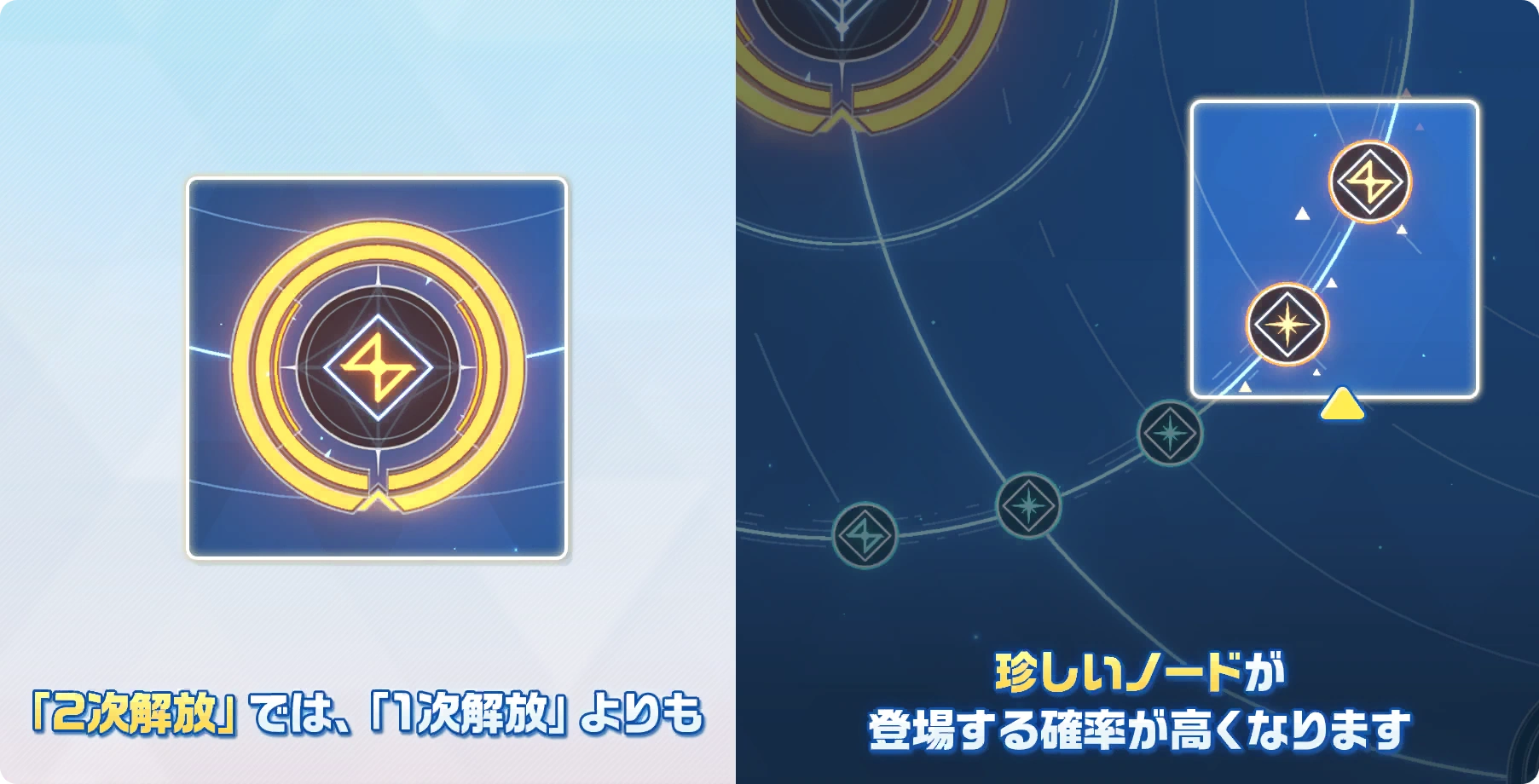 Crafting Guide 8Category:test
- A Golden Node will guarantee to produce the highest rarity item and may appear by doing the following:
- Inputting 5 Keystone or 50 Keystone Pieces in Primary node.
- Putting double the amount of items (2 golden rings) in Secondary Node.
- After inputting enough materials, a blue ring will appear. By inputting even more, a second ring will appear and both will become golden. This will produced a chance for the Golden Node to appear and it may appear more than once.
- Despite this Node will guaranteed a highest rarity items. it is not recommended for teachers to go through with it.
- The biggest reason is that the Nodes and items are random.
- Some items are not worth it such as Growth Materials as there are plenty of ways to obtain one.
- Whatever the product end up being, teachers will always receive 1 quantity for their effort.
- In the Secondary Node and depending on which of the 5 Nodes that are chosen, the additional materials required for a Secondary Release is too much. Teachers can saved those items for their students instead.
- Although the only way to produce a furniture or its higher rarity is through this chamber, it is still not recommended unless a teacher have too much materials to spare.
- Just like other products in the chamber, teachers are not guarantee a Furniture Node, a Golden Furniture Node or the type of furniture they want.
- Furthermore, Furniture Node will require furnitures as its additional materials which is not even worth it.
March 23rd, 2022 Patch
- A golden note can appear in both Primary and Secondary Node at random. However, they no longer guaranteed to produce an item of the highest quality.
- Golden Node will instead increase the rate of producing an item of the highest quality.
- As they can appear in Primary Node, teachers do not need to invest their resources anymore unless they are going for a secondary Node.


- The production time differs depending on the rarity of the product.
- Teachers can easily tell if the product is of high tier or not based on the time as the longer it is, the higher the tier and vice versa.
- Teachers can now preview the products during production.
- Teachers can use the Crafting Ticket to immediately finish production.
 Crafting TicketCategory:test
- Teachers do not need to worry about Crafting Tickets and can be use without hesitation as they can be easily farm from missions.
- Teachers can easily tell if the product is of high tier or not based on the time as the longer it is, the higher the tier and vice versa.

| Tier | Rarity | Time |
| 1 | Basic | 00:30:00 |
| 2 | Intermediate | 01:30:00 |
| 3 | Advanced | 03:00:00 |
| 4 | Superlative | 06:00:00 |
March 23rd, 2022 Patch
- Due to the Crafting Chamber allowing teachers to produce
23 items at once, the production time may exceed what is written above.It is also difficult to tell what tier the product is.Teachers can now preview the products after crafting.
Node type
There are a total of 4 nodes in the chamber with each node having different categories.
Note:  Needle 0Category:test of any tier cannot be craft.
| Click here for Pre-March 2022 Patch |
|---|
| Click here for Global |
|---|
Primary Node
| Primary Node | |||||
 Furniture NodeCategory:test Furniture NodeCategory:testFurniture Node | |||||
| Category | Description | Appearance Rate | Success Rate | Product | Remarks |
| 色彩 / Colorful | Can produce furniture from any series | 3.79% | 69.57% |  Random Furniture 0Category:test Random Furniture 0Category:test
|
Random 1 ★ Furniture (Total 79 variant) |
| 26.09% | Random Furniture 0Category:test
|
Random 2 ★ Furniture (Total 34 variant) | |||
| 4.35% | Random Furniture 0Category:test
|
Random 3 ★ Furniture (Total 29 variant) | |||
| モモフレンズ / Momo and friends | Can produce cafe furniture based on the selected series | 0.47% | 100% | Random Furniture 0Category:test
|
Random 1 to 3 ★ Furniture (Momocafe Series) |
| バレンタイン / Valentine | Random 1 to 3 ★ Furniture (Valentine Series) | ||||
| ゼリーズゲーセン / Jelly Arcade | Random 1 to 3 ★ Furniture (Jelly Series) | ||||
| サマーリゾート / Summer Resort | Random 1 to 3 ★ Furniture (Summer Series) | ||||
| ハロウィーンカフェ / Halloween Cafe | Random 1 to 3 ★ Furniture (Halloween Series) | ||||
| 伝統的な温泉郷シリーズ / Traditional Hot Spring Village Series |
Random 1 to 3 ★ Furniture (Hot Spring Series) | ||||
| お正月シリーズ / New Year Series | Random 1 to 3 ★ Furniture (New Year Series) | ||||
| ミリタリーアウトドアシリーズ / Military Outdoor Series | Random 1 to 3 ★ Furniture (Military Series) | ||||
 Gift NodeCategory:test Gift NodeCategory:testGift Node | |||||
| 花弁 / Flower | Can produce gift for students | 9.88% | 100% |  Random Gift BoxCategory:test Random Gift BoxCategory:test
|
Random Gift |
 Skill Book NodeCategory:test Skill Book NodeCategory:testRandom Node | |||||
| 瞬き / Subtle | Can produce material of a Basic Rarity | 9.32% | 43.64% |  Exp Report 0Category:test Exp Report 0Category:test
|
Basic Exp Report |
| 33.04% |  Random Material 0Category:test Random Material 0Category:test
|
Basic Skill Material | |||
| 19.73% |  Random Skill Book 0Category:test Random Skill Book 0Category:test
|
Basic Skill Book | |||
| 1.77% |  Random EX-Skill Disc 0Category:test Random EX-Skill Disc 0Category:test
|
Basic EX-Skill Disc | |||
| Needle 0Category:test cannot be craft.
|
 Spring 0Category:test Spring 0Category:test
|
Basic UE Exp Material | |||
| 明かり / Brilliant | Can produce material of a Intermediate Rarity | 9.63% | 32.31% |  Exp Report 1Category:test Exp Report 1Category:test
|
Intermediate Exp Report |
| 22.05% |  Random Material 1Category:test Random Material 1Category:test
|
Intermediate Skill Material | |||
| 15.56% |  Random Skill Book 1Category:test Random Skill Book 1Category:test
|
Intermediate Skill Book | |||
| 1.37% |  Random EX-Skill Disc 1Category:test Random EX-Skill Disc 1Category:test
|
Intermediate EX-Skill Disc | |||
| 27.35% | Random Furniture 0Category:test
|
Random 1 ★ Furniture | |||
 Needle 1Category:test cannot be craft. Needle 1Category:test cannot be craft.
|
1.37% |  Spring 1Category:test Spring 1Category:test
|
Intermediate UE Exp Material | ||
| 輝き / Shiny | Can produce material of a Advanced Rarity | 15.88% | 62.24% | Random Gift BoxCategory:test
|
Random Gift |
| 12.97% |  Exp Report 2Category:test Exp Report 2Category:test
|
Advanced Exp Report | |||
| 8.82% |  Random Material 2Category:test Random Material 2Category:test
|
Advanced Skill Material | |||
| 8.92% |  Random Skill Book 2Category:test Random Skill Book 2Category:test
|
Advanced Skill Book | |||
| 0.41% |  Random EX-Skill Disc 2Category:test Random EX-Skill Disc 2Category:test
|
Advanced EX-Skill Disc | |||
| 6.22% | Random Furniture 0Category:test
|
Random 2 ★ Furniture | |||
 Needle 2Category:test cannot be craft. Needle 2Category:test cannot be craft.
|
0.41% |  Spring 2Category:test Spring 2Category:test
|
Advanced UE Exp Material | ||
| 煌めき / Radiant | Can produce material of a Superlative Rarity | 1.8% | 27.52% |  Exp Report 3Category:test Exp Report 3Category:test
|
Superlative EXP Report |
| 27.52% |  Random Material 3Category:test Random Material 3Category:test
|
Superlative Skill Material | |||
| 32.11% |  Random Skill Book 3Category:test Random Skill Book 3Category:test
|
Superlative Skill Book | |||
| 1.83% |  Random EX-Skill Disc 3Category:test Random EX-Skill Disc 3Category:test
|
Superlative EX-Skill Disc | |||
| 9.17% | Random Furniture 0Category:test
|
Random 3 ★ Furniture | |||
 Needle 3Category:test cannot be craft. Needle 3Category:test cannot be craft.
|
1.83% |  Spring 3Category:test Spring 3Category:test
|
Advanced UE Exp Material | ||
 Material NodeCategory:test Material NodeCategory:testRandom Node | |||||
| 金属 / Metal | Can produce Growth Material | 22.96% | 17.72% | Exp Report 0Category:test
|
Basic Exp Report |
| 13.56% | Exp Report 1Category:test
|
Intermediate EXP Report | |||
| 8.97% | Exp Report 2Category:test
|
Advanced Exp Report | |||
| 2.15% | Exp Report 3Category:test
|
Superlative EXP Report | |||
| 13.41% | Random Material 0Category:test
|
Basic Skill Material | |||
| 9.25% | Random Material 1Category:test
|
Intermediate Skill Material | |||
| 6.1% | Random Material 2Category:test
|
Advanced Skill Material | |||
| 2.15% | Random Material 3Category:test
|
Superlative Skill Material | |||
| 8.03% | Random Skill Book 0Category:test
|
Basic Skill Book | |||
| 6.53% | Random Skill Book 1Category:test
|
Intermediate Skill Book | |||
| 6.17% | Random Skill Book 2Category:test
|
Advanced Skill Book | |||
| 2.51% | Random Skill Book 3Category:test
|
Superlative Skill Book | |||
| 0.72% | Random EX-Skill Disc 0Category:test
|
Basic EX-Skill Disc | |||
| 0.57% | Random EX-Skill Disc 1Category:test
|
Intermediate EX-Skill Disc | |||
| 0.29% | Random EX-Skill Disc 2Category:test
|
Advanced EX-Skill Disc | |||
| 0.14% | Random EX-Skill Disc 3Category:test
|
Superlative EX-Skill Disc | |||
| Needle 0Category:test of any tier cannot be craft.
|
0.72% | Spring 0Category:test
|
Basic UE Exp Material | ||
| 0.57% | Spring 1Category:test
|
Intermediate UE Exp Material | |||
| 0.29% | Spring 2Category:test
|
Advanced UE Exp Material | |||
| 0.14% | Spring 3Category:test
|
Superlative UE Exp Material | |||
| 銅 / Copper | Can produce EX-Skill Disc | 0.4% | 41.67% | Random EX-Skill Disc 0Category:test
|
Basic EX-Skill Disc |
| 33.33% | Random EX-Skill Disc 1Category:test
|
Intermediate EX-Skill Disc | |||
| 16.67% | Random EX-Skill Disc 2Category:test
|
Advanced EX-Skill Disc | |||
| 8.33% | Random EX-Skill Disc 3Category:test
|
Superlative EX-Skill Disc | |||
| 銀 / Silver | Can produce Exp Report | 9.73% | 41.79% | Exp Report 0Category:test
|
Basic Exp Report |
| 31.98% | Exp Report 1Category:test
|
Intermediate Exp Report | |||
| 21.15% | Exp Report 2Category:test
|
Advanced Exp Report | |||
| 5.08% | Exp Report 3Category:test
|
Superlative Exp Report | |||
| 金 / Gold | Can produce Materials | 7.18% | 43.39% | Random Material 0Category:test
|
Basic Skill Material |
| 29.93% | Random Material 1Category:test
|
Intermediate Skill Material | |||
| 19.72% | Random Material 2Category:test
|
Advanced Skill Material | |||
| 6.96% | Random Material 3Category:test
|
Superlative Skill Material | |||
| プラチナ / Platinum | Can produce Skill Book | 5.34% | 34.57% | Random Skill Book 0Category:test
|
Basic Skill Book |
| 28.09% | Random Skill Book 1Category:test
|
Intermediate Skill Book | |||
| 26.54% | Random Skill Book 2Category:test
|
Advanced Skill Book | |||
| 10.8% | Random Skill Book 3Category:test
|
Superlative Skill Book | |||
| パーツ / Parts | Can produce UE Exp MaterialNeedle 0Category:test of any tier cannot be craft.
|
0.4% | 41.67% | Spring 0Category:test
|
Basic UE Exp Material |
| 33.33% | Spring 1Category:test
|
Intermediate UE Exp Material | |||
| 16.67% | Spring 2Category:test
|
Advanced UE Exp Material | |||
| 8.33% | Spring 3Category:test
|
Superlative UE Exp Material | |||
Secondary Node
| Secondary Node | |||||
| Furniture NodeCategory:test Furniture Node | |||||
| Category | Description | Appearance Rate | Success Rate | Product | Remarks |
| 色彩 / Colorful | Can produce furniture from any series | 9.88% | 69.57% | Random Furniture 0Category:test
|
Random 1 ★ Furniture (Total 79 variant) |
| 26.09% | Random Furniture 0Category:test
|
Random 2 ★ Furniture (Total 34 variant) | |||
| 4.35% | Random Furniture 0Category:test
|
Random 3 ★ Furniture (Total 29 variant) | |||
| モモフレンズ / Momo and friends | Can produce cafe furniture based on the selected series | 1.24% | 100% | Random Furniture 0Category:test
|
Random 1 to 3 ★ Furniture (Momocafe Series) |
| バレンタイン / Valentine | Random 1 to 3 ★ Furniture (Valentine Series) | ||||
| ゼリーズゲーセン / Jelly Arcade | Random 1 to 3 ★ Furniture (Jelly Series) | ||||
| サマーリゾート / Summer Resort | Random 1 to 3 ★ Furniture (Summer Series) | ||||
| ハロウィーンカフェ / Halloween Cafe | Random 1 to 3 ★ Furniture (Halloween Series) | ||||
| 伝統的な温泉郷シリーズ / Traditional Hot Spring Village Series |
Random 1 to 3 ★ Furniture (Hot Spring Series) | ||||
| お正月シリーズ / New Year Series | Random 1 to 3 ★ Furniture (New Year Series) | ||||
| ミリタリーアウトドアシリーズ / Military Outdoor Series | Random 1 to 3 ★ Furniture (Military Series) | ||||
| レッド / Red | Can produce furniture based on category | 1.36% | 100% | Random Furniture 0Category:test
|
Random Chair (Total 17 variant) |
| グリーン / Green | 2.29% | Random Wall Decoration (Total 30 variant) | |||
| ピンク / Pink | 0.7 | Random Gadget (Total 15 variant) | |||
| ブラック / Black | 1.44% | Random Table (Total 25 variant) | |||
| ブラウン / Brown | 0.28% | Random Floor (Total 8 variant) | |||
| イエロー / Yellow | 0.57% | Random Storage (Total 7 variant) | |||
| アンバー / Amber | 0.66% | Random Carpet (Total 7 variant) | |||
| グレー / Grey | 2.41% | Random Decoration (Total 36 variant) | |||
| ブルー / Blue | 0.05% | Random Wall (Total 8 variant) | |||
| ホワイト/ White | 0.04% | Random Background (Total 6 variant) | |||
| Gift NodeCategory:test Gift Node | |||||
| 花弁 / Flower | Can produce gift for students | 5.73% | 100% | Random Gift BoxCategory:test
|
Random Gift |
| アサガオ / Morning Glory | Can produce gift based on category. | 0.44% | 100% | Random Gift BoxCategory:test
|
Exercise Equipment |
| 百日紅 / Crepe Myrtle | Toy | ||||
| タンポポ / Dandelion | Antique Art | ||||
| スイセン / Narcissus | Sweets | ||||
| 薔薇 / Rose | Electronics | ||||
| チューリップ / Tulips | Books | ||||
| 牡丹 / Peony | Bedding | ||||
| 桜 / Cherry Blossoms | Cosmetics | ||||
| ユリ / Lily | Reservation Ticket | ||||
| 桔梗 / Platycodon Grandiflorus | Gardening | ||||
| ツツジ / Azalea | Food | ||||
| キンセンカ / Calendula | Household Item | ||||
| モクレン / Magnolia | Fashion Accessory | ||||
| Skill Book NodeCategory:test Random Node | |||||
| 明かり / Brilliant | Can produce material of a Intermediate Rarity | 13.86% | 23.6% | Exp Report 1Category:test
|
Intermediate Exp Report |
| 14.66% | Random Material 1Category:test
|
Intermediate Skill Material | |||
| 10.34% | Random Skill Book 1Category:test
|
Intermediate Skill Book | |||
| 0.91% | Random EX-Skill Disc 1Category:test
|
Intermediate EX-Skill Disc | |||
| 49.59% | Random Furniture 0Category:test
|
Random 1 ★ Furniture | |||
| Needle 1Category:test cannot be craft.
|
0.91% | Spring 1Category:test
|
Intermediate UE Exp Material | ||
| 輝き / Shiny | Can produce material of a Advanced Rarity | 13.13% | 43.63% | Random Gift BoxCategory:test
|
Random Gift |
| 15.27% | Exp Report 2Category:test
|
Advanced Exp Report | |||
| 10.2% | Random Material 2Category:test
|
Advanced Skill Material | |||
| 10.32% | Random Skill Book 2Category:test
|
Advanced Skill Book | |||
| 0.48% | Random EX-Skill Disc 2Category:test
|
Advanced EX-Skill Disc | |||
| 19.63% | Random Furniture 0Category:test
|
Random 2 ★ Furniture | |||
| Needle 2Category:test cannot be craft.
|
0.48% | Spring 2Category:test
|
Advanced UE Exp Material | ||
| 煌めき / Radiant | Can produce material of a Superlative Rarity | 1.62% | 23.01% | Exp Report 3Category:test
|
Superlative EXP Report |
| 23.01% | Random Material 3Category:test
|
Superlative Skill Material | |||
| 27.61% | Random Skill Book 3Category:test
|
Superlative Skill Book | |||
| 1.69% | Random EX-Skill Disc 3Category:test
|
Superlative EX-Skill Disc | |||
| 23.01% | Random Furniture 0Category:test
|
Random 3 ★ Furniture | |||
| Needle 3Category:test cannot be craft.
|
1.69% | Spring 3Category:test
|
Superlative UE Exp Material | ||
| Material NodeCategory:test Random Node | |||||
| 金属 / Metal | Can produce Growth Material | 13.25% | 24.68% | Exp Report 1Category:test
|
Intermediate EXP Report |
| 15.13% | Exp Report 2Category:test
|
Advanced Exp Report | |||
| 3.24% | Exp Report 3Category:test
|
Superlative EXP Report | |||
| 15.34% | Random Material 1Category:test
|
Intermediate Skill Material | |||
| 10.1% | Random Material 2Category:test
|
Advanced Skill Material | |||
| 3.24% | Random Material 3Category:test
|
Superlative Skill Material | |||
| 10.82% | Random Skill Book 1Category:test
|
Intermediate Skill Book | |||
| 10.22% | Random Skill Book 2Category:test
|
Advanced Skill Book | |||
| 3.89% | Random Skill Book 3Category:test
|
Superlative Skill Book | |||
| 0.95% | Random EX-Skill Disc 1Category:test
|
Intermediate EX-Skill Disc | |||
| 0.48% | Random EX-Skill Disc 2Category:test
|
Advanced EX-Skill Disc | |||
| 0.24% | Random EX-Skill Disc 3Category:test
|
Superlative EX-Skill Disc | |||
| Needle 1Category:test of any tier cannot be craft.
|
0.95% | Spring 1Category:test
|
Intermediate UE Exp Material | ||
| 0.48% | Spring 2Category:test
|
Advanced UE Exp Material | |||
| 0.24% | Spring 3Category:test
|
Superlative UE Exp Material | |||
| 銅 / Copper | Can produce EX-Skill Disc | 0.22% | 57.14% | Random EX-Skill Disc 1Category:test
|
Intermediate EX-Skill Disc |
| 28.57% | Random EX-Skill Disc 2Category:test
|
Advanced EX-Skill Disc | |||
| 14.29% | Random EX-Skill Disc 3Category:test
|
Superlative EX-Skill Disc | |||
| 銀 / Silver | Can produce Exp Report | 5.71% | 57.33% | Exp Report 1Category:test
|
Intermediate Exp Report |
| 35.14% | Exp Report 2Category:test
|
Advanced Exp Report | |||
| 7.53% | Exp Report 3Category:test
|
Superlative Exp Report | |||
| 金 / Gold | Can produce Materials | 3.8% | 53.47% | Random Material 1Category:test
|
Intermediate Skill Material |
| 35.23% | Random Material 2Category:test
|
Advanced Skill Material | |||
| 11.3% | Random Material 3Category:test
|
Superlative Skill Material | |||
| プラチナ / Platinum | Can produce Skill Book | 3.3% | 43.39% | Random Skill Book 1Category:test
|
Intermediate Skill Book |
| 41.01% | Random Skill Book 2Category:test
|
Advanced Skill Book | |||
| 15.6% | Random Skill Book 3Category:test
|
Superlative Skill Book | |||
| アビドス / Abydos | Can produce EX-Skill Disc and Skill Book of a Intermediate, Advanced and Superlative Rarity based on selected school. | 0.44% | 100% |  Abydos IconCategory:test Abydos IconCategory:test
|
Abydos' EX-Skill Disc and Skill Book |
| ゲヘナ / Gehenna |  Gehenna IconCategory:test Gehenna IconCategory:test
|
Gehenna's EX-Skill Disc and Skill Book | |||
| ミレニアム / Millennium |  Millennium IconCategory:test Millennium IconCategory:test
|
Millennium's EX-Skill Disc and Skill Book | |||
| トリニティ / Trinity |  Trinity IconCategory:test Trinity IconCategory:test
|
Trinity's EX-Skill Disc and Skill Book | |||
| 百鬼夜行 / Hyakkiyako |  Hyakkiyako IconCategory:test Hyakkiyako IconCategory:test
|
Hyakkiyako's EX-Skill Disc and Skill Book | |||
| 山海経 / Shanhaijing |  Shanhaijing IconCategory:test Shanhaijing IconCategory:test
|
Shanhaijing's EX-Skill Disc and Skill Book | |||
| レッドウィンター / Red Winter |  Red Winter IconCategory:test Red Winter IconCategory:test
|
Red Winter's EX-Skill Disc and Skill Book | |||
| 山海経 / Valkyrie |  Valkyrie IconCategory:test Valkyrie IconCategory:test
|
Valkyrie's EX-Skill Disc and Skill Book | |||
| アリウス / Arius |  Arius IconCategory:test Arius IconCategory:test
|
Arius's EX-Skill Disc and Skill Book | |||
| パーツ / Parts | Can produce UE Exp MaterialNeedle 1Category:test of any tier cannot be craft.
|
0.22% | 57.14% | Spring 1Category:test
|
Intermediate UE Exp Material |
| 28.57% | Spring 2Category:test
|
Advanced UE Exp Material | |||
| 14.29% | Spring 3Category:test
|
Superlative UE Exp Material | |||
TailorMade

TailorMade (テイラーメイド) or TaylorMade is a sub-category in Crafting Chamber that allow teachers to select what items to craft.
TailorMade Overview
Similar to Generate, teachers can craft various items such as furnitures, Skill Books, EX-Skill Disc, Skill Materials and some new products. Teachers are also given 3 slots to produce with each slot allowing teachers to craft up to 5 products. Each product has a certain theme and crafting them allow teachers to receive an item based on the theme. To craft, teachers will need a new type of material call "Tailor Stone"  Tailor Stone 0Category:test
 Tailor Stone 1Category:test
 Tailor Stone 2Category:test
 Tailor Stone 3Category:test which can be exchange in the Firepower Section of the Shop using Exercise Coin
  Firepower Exercise CoinCategory:test and can be obtain from Joint Firepower Exercise.
Lastly, teachers can favourite their product by clicking on the "star" button beside the product and can view them by selecting "Favourite (お気に入り)" on the top left of the list.
Unlike Generate, teachers can craft 2 types of the same theme/series, "Selectable Type" and "Randomized Type".
- Selectable Type
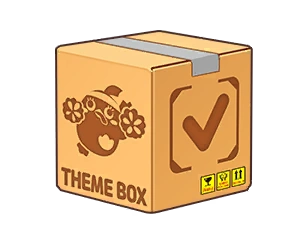
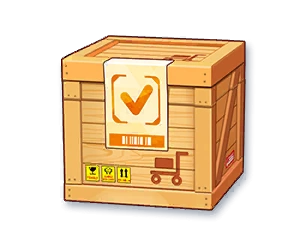
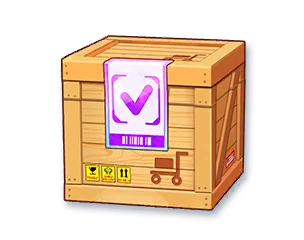
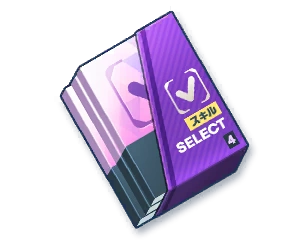
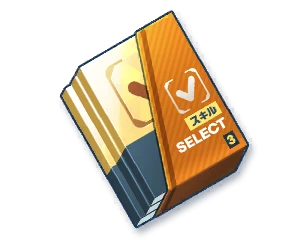
Selectable Type always have a "Checkmark" engraved on the product. Upon crafting these types of product, teachers will be allow to "Choose" 1 item within that product. As a result, Selectable Types requires 3 Tailor Stones.- Example: Crafting a "Selectable Jelly Arcade Series" allow teachers to choose a furniture within that series.
- Randomized Type
Randomized Type always have a "Question Mark" engraved on the product. Upon crafting these types of product, teachers will receive a random item within that product. As a result, Randomized Types requires 1 Tailor Stone.- Example: Crafting a "Randomized Superlative Skill Book" allow teachers to receive 1 Superlative Skill Book of a random school.
In additional, there are also unique products that can only be crafted through TailorMade. These unique products are neither Selectable nor Randomized and guarantee teachers the product they see in their list.
Tailor List
Selectable Type
| Selectable Type | |||||
| Product | Resource | Description | |||
| Icon | Name | Recipe | Tailor Stone | Price | |
 Selection Athletic Festival SeriesCategory:test Selection Athletic Festival SeriesCategory:test
|
Selectable Beachside Series | Any Furniture from any series and rarity | x3 |
x24K  |
Can produce and choose a furniture from Athletic Festival Series of any rarity |
 Selection Beachside SeriesCategory:test Selection Beachside SeriesCategory:test
|
Selectable Beachside Series | Can produce and choose a furniture from Beachside Series of any rarity | |||
 Selection Military SeriesCategory:test Selection Military SeriesCategory:test
|
Selectable Military Series | Can produce and choose a furniture from Military Outdoor Series of any rarity | |||
 Selection New Year SeriesCategory:test Selection New Year SeriesCategory:test
|
Selectable New Year Series | Can produce and choose a furniture from New Year Series of any rarity | |||
 Selection Hot Spring SeriesCategory:test Selection Hot Spring SeriesCategory:test
|
Selectable Hot Spring Series | Can produce and choose a furniture from Traditional Hot Spring Village Series of any rarity | |||
 Selection Halloween SeriesCategory:test Selection Halloween SeriesCategory:test
|
Selectable Halloween Series | Can produce and choose a furniture from Halloween Cafe Series of any rarity | |||
 Selection Summer SeriesCategory:test Selection Summer SeriesCategory:test
|
Selectable Summer Resort Series | Can produce and choose a furniture from Summer Resort Series of any rarity | |||
 Selection Valentine SeriesCategory:test Selection Valentine SeriesCategory:test
|
Selectable Valentine Series | Can produce and choose a furniture from Valentine Series of any rarity | |||
 Selection Jelly SeriesCategory:test Selection Jelly SeriesCategory:test
|
Selectable Jelly Series | Can produce and choose a furniture from Jelly Arcade Series of any rarity | |||
 Selection Momo SeriesCategory:test Selection Momo SeriesCategory:test
|
Selectable Momo Series | Can produce and choose a furniture from Momo Friends Cafe Series of any rarity | |||
 Selection Abydos Classroom SeriesCategory:test Selection Abydos Classroom SeriesCategory:test
|
Selectable Abydos Classroom Series | Can produce and choose a furniture from Abydos Classroom Series of any rarity | |||
 Selection GDD SeriesCategory:test Selection GDD SeriesCategory:test
|
Selectable Game Development Department Series | Can produce and choose a furniture from GDD Series of any rarity | |||
 Selection Department SeriesCategory:test Selection Department SeriesCategory:test
|
Selectable Department Series | Can produce and choose a furniture from Department Series of any rarity | |||
 Selection ETC FurnitureCategory:test Selection ETC FurnitureCategory:test
|
Selectable Event Furniture | Can produce and choose an Event Furniture of any rarity | |||
 Selection Log SeriesCategory:test Selection Log SeriesCategory:test
|
Selectable Normal / Log Series | x3 |
x3000 |
Can produce and choose a furniture from Normal Series of any rarity | |
 Selection Furniture 1Category:test Selection Furniture 1Category:test
|
Selectable Intermediate Furniture | Any 2 Intermediate Furniture | x3 |
x6000 |
Can produce and choose a furniture from of a Intermediate Tier |
 Selection Furniture 2Category:test Selection Furniture 2Category:test
|
Selectable Advanced Furniture | Any 2 Advanced Furniture | x3 |
x12000 |
Can produce and choose a furniture from of a Advanced Tier |
 Selection Furniture 3Category:test Selection Furniture 3Category:test
|
Selectable Superlative Furniture | Any 2 Superlative Furniture | x3 |
x24000 |
Can produce and choose a furniture from of a Superlative Tier |
 Selection Skill Book 3Category:test Selection Skill Book 3Category:test
|
Selectable Superlative Skill Book | Any 2 Superlative Skill Books | x3 |
x24K |
Can produce and choose a Skill Book of a Superlative Tier |
 Selection Skill Book 2Category:test Selection Skill Book 2Category:test
|
Selectable Advanced Skill Book | Any 2 Advanced Skill Books | x3 |
x12K |
Can produce and choose a Skill Book of a Advanced Tier |
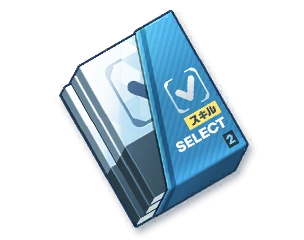 Selection Skill Book 1Category:test Selection Skill Book 1Category:test
|
Selectable Intermediate Skill Book | Any 2 Intermediate Skill Books | x3 |
x6000 |
Can produce and choose a Skill Book of a Intermediate Tier |
 Selection Skill Book 0Category:test Selection Skill Book 0Category:test
|
Selectable Beginner Skill Book | Any 2 Beginner Skill Books | x3 |
x3000 |
Can produce and choose a Skill Book of a Beginner Tier |
 Selection EX-Skill Disc 3Category:test Selection EX-Skill Disc 3Category:test
|
Selectable Superlative EX-Skill Disc | Any 2 Superlative EX-Skill Discs | x3 |
x24K |
Can produce and choose a EX-Skill Disc of a Superlative Tier |
 Selection EX-Skill Disc 2Category:test Selection EX-Skill Disc 2Category:test
|
Selectable Advanced EX-Skill Disc | Any 2 Advanced EX-Skill Discs | x3 |
x12K |
Can produce and choose a EX-Skill Disc of a Advanced Tier |
 Selection EX-Skill Disc 1Category:test Selection EX-Skill Disc 1Category:test
|
Selectable Intermediate EX-Skill Disc | Any 2 Intermediate EX-Skill Discs | x3 |
x6000 |
Can produce and choose a EX-Skill Disc of a Intermediate Tier |
 Selection EX-Skill Disc 0Category:test Selection EX-Skill Disc 0Category:test
|
Selectable Beginner EX-Skill Disc | Any 2 Beginner EX-Skill Discs | x3 |
x3000 |
Can produce and choose a EX-Skill Disc of a Beginner Tier |
 Selection Material 3Category:test Selection Material 3Category:test
|
Selectable Superlative Skill Material (Artifact) | Any 2 Superlative Skill Materials (Artifact) | x3 |
x24K |
Can produce and choose a Skill Material of a Superlative Tier |
 Selection Material 2Category:test Selection Material 2Category:test
|
Selectable Advanced Skill Material (Artifact) | Any 2 Advanced Skill Materials (Artifact) | x3 |
x12K |
Can produce and choose a Skill Material of a Advanced Tier |
 Selection Material 1Category:test Selection Material 1Category:test
|
Selectable Intermediate Skill Material (Artifact) | Any 2 Intermediate Skill Materials (Artifact) | x3 |
x6000 |
Can produce and choose a Skill Material of a Intermediate Tier |
 Selection Material 0Category:test Selection Material 0Category:test
|
Selectable Beginner Skill Material (Artifact) | Any 2 Beginner Skill Materials (Artifact) | x3 |
x3000 |
Can produce and choose a Skill Material of a Beginner Tier |
 Selection Gift Box 2Category:test Selection Gift Box 2Category:test
|
Selectable Gift Box | Any 2 Advanced gifts | x1 |
x12K |
Can produce and choose a gift of a Advanced Tier |
Randomized Type
| Randomized Type | |||||
| Product | Resource | Description | |||
| Icon | Name | Recipe | Tailor Stone | Price | |
 Random Athletic Festival SeriesCategory:test Random Athletic Festival SeriesCategory:test
|
Randomized Beachside Series | Any Furniture from any series and rarity | x1 |
x24K |
Can produce a random furniture 0 from Athletic Festival Series of any rarity |
 Random Beachside SeriesCategory:test Random Beachside SeriesCategory:test
|
Randomized Beachside Series | Can produce a random furniture from Beachside Series of any rarity | |||
 Random Military SeriesCategory:test Random Military SeriesCategory:test
|
Randomized Military Series | Can produce a random furniture from Military Outdoor Series of any rarity | |||
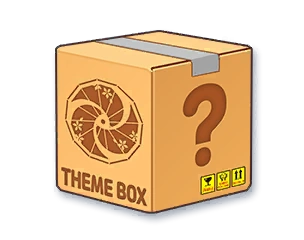 Random New Year SeriesCategory:test Random New Year SeriesCategory:test
|
Randomized New Year Series | Can produce a random furniture from New Year Series of any rarity | |||
 Random Hot Spring SeriesCategory:test Random Hot Spring SeriesCategory:test
|
Randomized Hot Spring Series | Can produce a random furniture from Traditional Hot Spring Village Series of any rarity | |||
 Random Halloween SeriesCategory:test Random Halloween SeriesCategory:test
|
Randomized Halloween Series | Can produce a random furniture from Halloween Cafe Series of any rarity | |||
 Random Summer SeriesCategory:test Random Summer SeriesCategory:test
|
Randomized Summer Resort Series | Can produce a random furniture from Summer Resort Series of any rarity | |||
 Random Valentine SeriesCategory:test Random Valentine SeriesCategory:test
|
Randomized Valentine Series | Can produce a random furniture from Valentine Series of any rarity | |||
 Random Jelly SeriesCategory:test Random Jelly SeriesCategory:test
|
Randomized Jelly Series | Can produce a random furniture from Jelly Arcade Series of any rarity | |||
 Random Momo SeriesCategory:test Random Momo SeriesCategory:test
|
Randomized Momo Series | Can produce a random furniture from Momo Friends Cafe Series of any rarity | |||
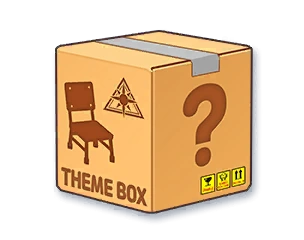 Random Abydos Classroom SeriesCategory:test Random Abydos Classroom SeriesCategory:test
|
Randomized Abydos Classroom Series | Can produce a random furniture from Abydos Classroom Series of any rarity | |||
 Random GDD SeriesCategory:test Random GDD SeriesCategory:test
|
Randomized Game Department Development Series | Can produce a random furniture from GDD Series of any rarity | |||
 Random Department SeriesCategory:test Random Department SeriesCategory:test
|
Randomized Department Series | Can produce a random furniture from Department Series of any rarity | |||
 Random ETC FurnitureCategory:test Random ETC FurnitureCategory:test
|
Random Event Furniture | Can produce a random Event Furniture of any rarity | |||
 Random Log SeriesCategory:test Random Log SeriesCategory:test
|
Randomized Normal / Log Series | x1 |
x3000 |
Can produce a random furniture from Normal Series of any rarity | |
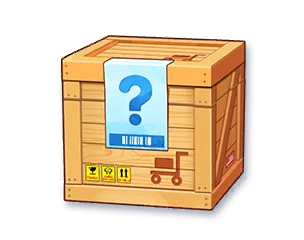 Random Furniture 1Category:test Random Furniture 1Category:test
|
Randomized Intermediate Furniture | Any 1 Intermediate Furniture | x1 |
x6000 |
Can produce a random furniture of a Intermediate Tier |
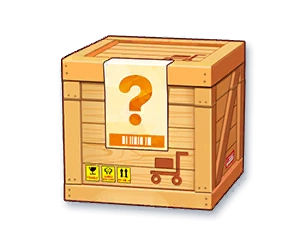 Random Furniture 2Category:test Random Furniture 2Category:test
|
Randomized Advanced Furniture | Any 1 Advanced Furniture | x1 |
x12000 |
Can produce a random furniture of a Advanced Tier |
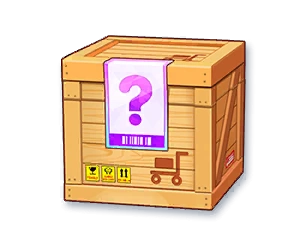 Random Furniture 3Category:test Random Furniture 3Category:test
|
Randomized Superlative Furniture | Any 1 Superlative Furniture | x1 |
x24000 |
Can produce a random furniture of a Superlative Tier |
| Random Skill Book 3Category:test
|
Randomized Superlative Skill Book | Any 1 Superlative Skill Book | x1 |
x24K |
Can produce a random Skill Book of a Superlative Tier |
| Random Skill Book 2Category:test
|
Randomized Advanced Skill Book | Any 1 Advanced Skill Book | x1 |
x12K |
Can produce a random Skill Book of a Advanced Tier |
| Random Skill Book 1Category:test
|
Randomized Intermediate Skill Book | Any 1 Intermediate Skill Book | x1 |
x6000 |
Can produce a random Skill Book of a Intermediate Tier |
| Random Skill Book 0Category:test
|
Randomized Beginner Skill Book | Any 1 Beginner Skill Book | x1 |
x3000 |
Can produce a random Skill Book of a Beginner Tier |
| Random EX-Skill Disc 3Category:test
|
Randomized Superlative EX-Skill Disc | Any 1 Superlative EX-Skill Disc | x1 |
x24K |
Can produce a random EX-Skill Disc of a Superlative Tier |
| Random EX-Skill Disc 2Category:test
|
Randomized Advanced EX-Skill Disc | Any 1 Advanced EX-Skill Disc | x1 |
x12K |
Can produce a random EX-Skill Disc of a Advanced Tier |
| Random EX-Skill Disc 1Category:test
|
Randomized Intermediate EX-Skill Disc | Any 1 Intermediate EX-Skill Disc | x1 |
x6000 |
Can produce a random EX-Skill Disc of a Intermediate Tier |
| Random EX-Skill Disc 0Category:test
|
Randomized Beginner EX-Skill Disc | Any 1 Beginner EX-Skill Disc | x1 |
x3000 |
Can produce a random EX-Skill Disc of a Beginner Tier |
| Random Material 3Category:test
|
Randomized Superlative Skill Material (Artifact) | Any 1 Superlative Skill Material (Artifact) | x1 |
x24K |
Can produce a random Skill Material of a Superlative Tier |
| Random Material 2Category:test
|
Randomized Advanced Skill Material (Artifact) | Any 1 Advanced Skill Material (Artifact) | x1 |
x12K |
Can produce a random Skill Material of a Advanced Tier |
| Random Material 1Category:test
|
Randomized Intermediate Skill Material (Artifact) | Any 1 Intermediate Skill Material (Artifact) | x1 |
x6000 |
Can produce a random Skill Material of a Intermediate Tier |
| Random Material 0Category:test
|
Randomized Beginner Skill Material (Artifact) | Any 1 Beginner Skill Material (Artifact) | x1 |
x3000 |
Can produce a random Skill Material of a Beginner Tier |
Unique Product
| Unique Product | |||||
| Product | Resource | Description | |||
| Icon | Name | Recipe | Tailor Stone | Price | |
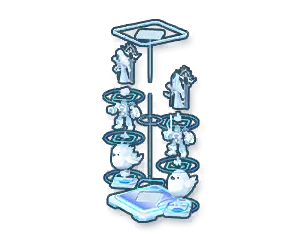 Platinum Trophy Stand 2Category:test Platinum Trophy Stand 2Category:test
|
Platinum Trophy Stand 2 | Any 6 Platinum Trophies | x3 |
x24K |
Can produce a Platinum Trophy Stand 2 |
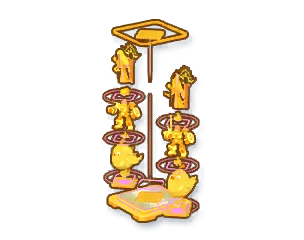 Gold Trophy Stand 2Category:test Gold Trophy Stand 2Category:test
|
Gold Trophy Stand 2 | Any 6 Gold Trophies | x3 |
x12K |
Can produce a Gold Trophy Stand 2 |
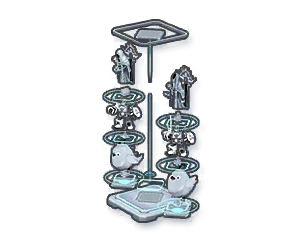 Silver Trophy Stand 2Category:test Silver Trophy Stand 2Category:test
|
Silver Trophy Stand 2 | Any 6 Silver Trophies | x3 |
x6000 |
Can produce a Silver Trophy Stand 2 |
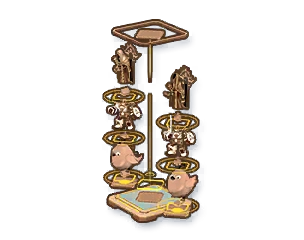 Bronze Trophy Stand 2Category:test Bronze Trophy Stand 2Category:test
|
Bronze Trophy Stand 2 | Any 6 Bronze Trophies | x3 |
x3000 |
Can produce a Bronze Trophy Stand 2 |
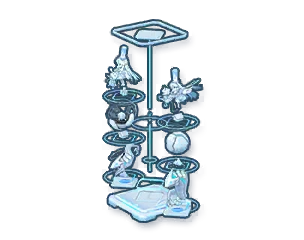 Platinum Trophy StandCategory:test Platinum Trophy StandCategory:test
|
Platinum Trophy Stand | Any 6 Platinum Trophies | x3 |
x24K |
Can produce a Platinum Trophy Stand |
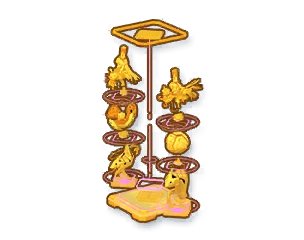 Gold Trophy StandCategory:test Gold Trophy StandCategory:test
|
Gold Trophy Stand | Any 6 Gold Trophies | x3 |
x12K |
Can produce a Gold Trophy Stand |
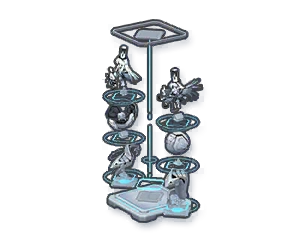 Silver Trophy StandCategory:test Silver Trophy StandCategory:test
|
Silver Trophy Stand | Any 6 Silver Trophies | x3 |
x6000 |
Can produce a Silver Trophy Stand |
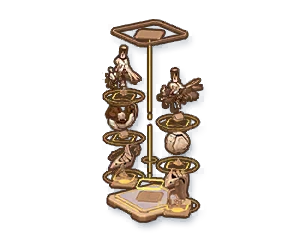 Bronze Trophy StandCategory:test Bronze Trophy StandCategory:test
|
Bronze Trophy Stand | Any 6 Bronze Trophies | x3 |
x3000 |
Can produce a Bronze Trophy Stand |
 Ultimate Skill BookCategory:test Ultimate Skill BookCategory:test
|
Secret Note | x15  |
None | x24K |
Can produce a Secret Note |
Gallery


Trivia
Credits
- General Information taken from Wikiru.
- Credits to 鏡針蓮真 on Twitter for the Probability rate.
- Updated Probability rate taken from wiki.bilibiligame.